Free & open source·v1.1.0

Markdown, beautifully read in Chrome.

MarkCraft turns any .md file — on your disk or on the web — into a clean, readable document with diagrams, math and an outline. Edit it, annotate it, present it. Everything stays on your machine.

Works in Chrome, Edge, Brave and Arc · MIT License · No account needed

MarkCraft showing a Markdown launch plan with a file sidebar, a rendered Mermaid flowchart and an outline panel The same document in MarkCraft's dark theme
0bytes uploaded — rendering happens in your browser
4diagram engines: Mermaid, Graphviz, WaveDrom, PlantUML
3modes: Read, WYSIWYG Edit and Source
$0forever — no trials, no limits, no pro tier

## Rendering

Diagrams, math and code that just render.

Mermaid flowcharts, Graphviz, WaveDrom and KaTeX appear inline — no build step, no copy-pasting into another tool. Open any diagram fullscreen, zoom and pan, or download it as SVG, PNG or JPEG.

  • GitHub Flavored Markdown, alerts, footnotes and task lists
  • 12 syntax themes, file names on code blocks, copy buttons
  • Mintlify components: Cards, Tabs, Steps, Accordions, CodeGroups
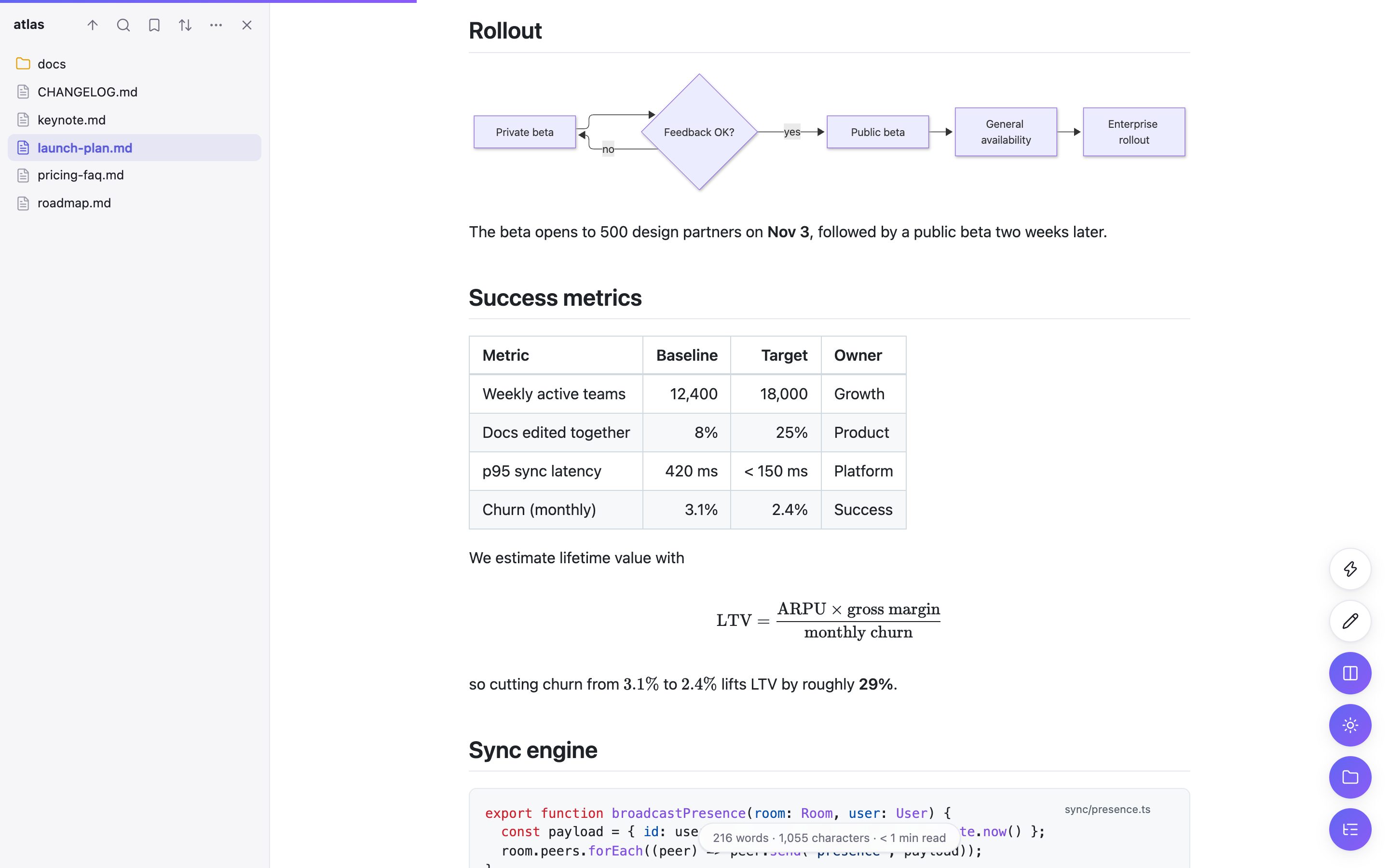
A Mermaid flowchart, a metrics table and a KaTeX formula rendered in MarkCraft

## Review & AI

Review like a document. Hand it off to AI.

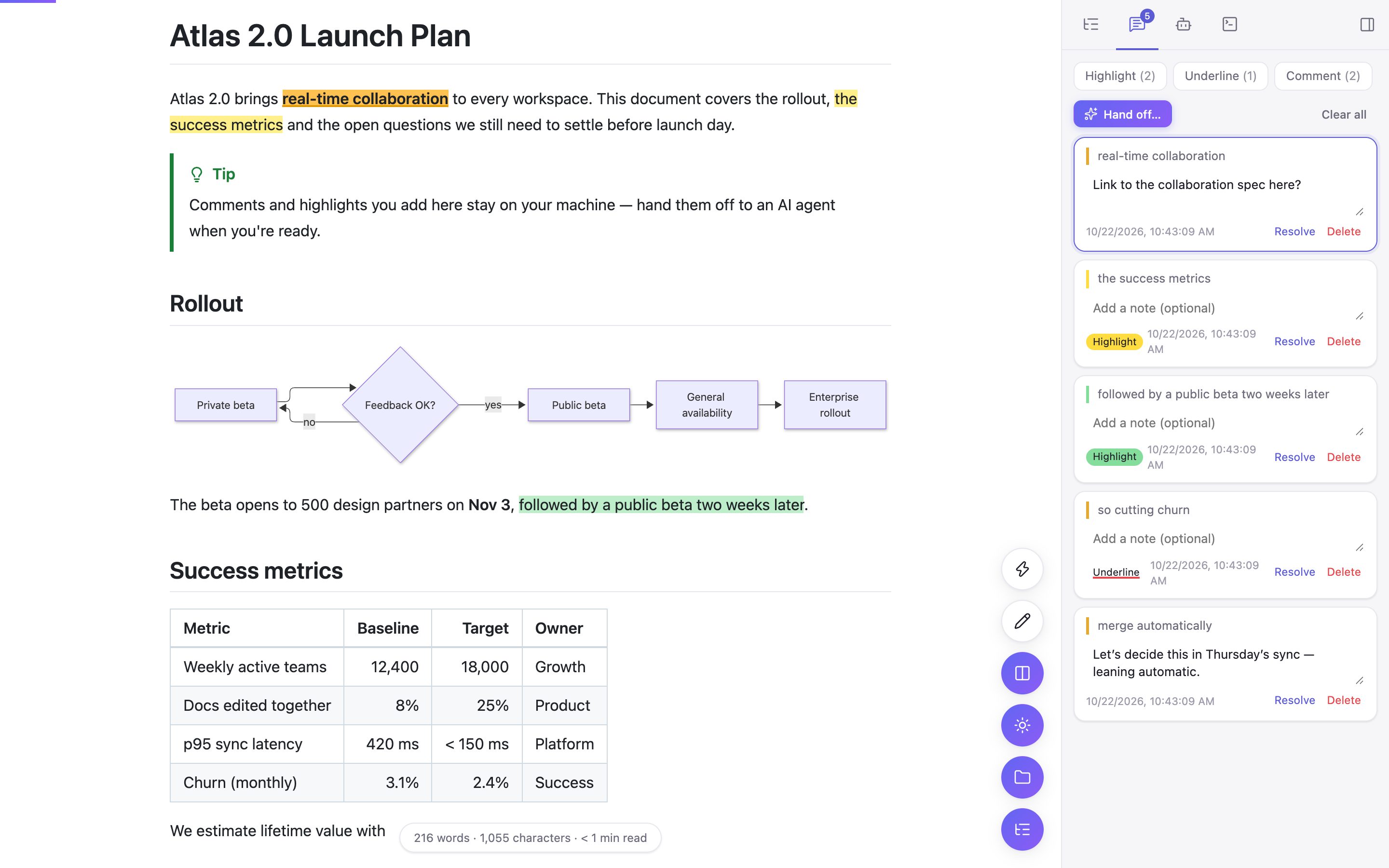
Highlight in four colors, underline and comment on any passage. Turn your notes into a ready-to-paste prompt — or run Claude Code or Codex on an isolated copy and review the diff before anything touches your file.

  • Filter by type, track what's unresolved
  • Annotations survive reloads and show up in print and exports
  • Accept or dismiss agent changes with a clear +/− diff
Highlights, an underline and comments listed in MarkCraft's annotations panel

## Editing

Edit in place, then save straight back.

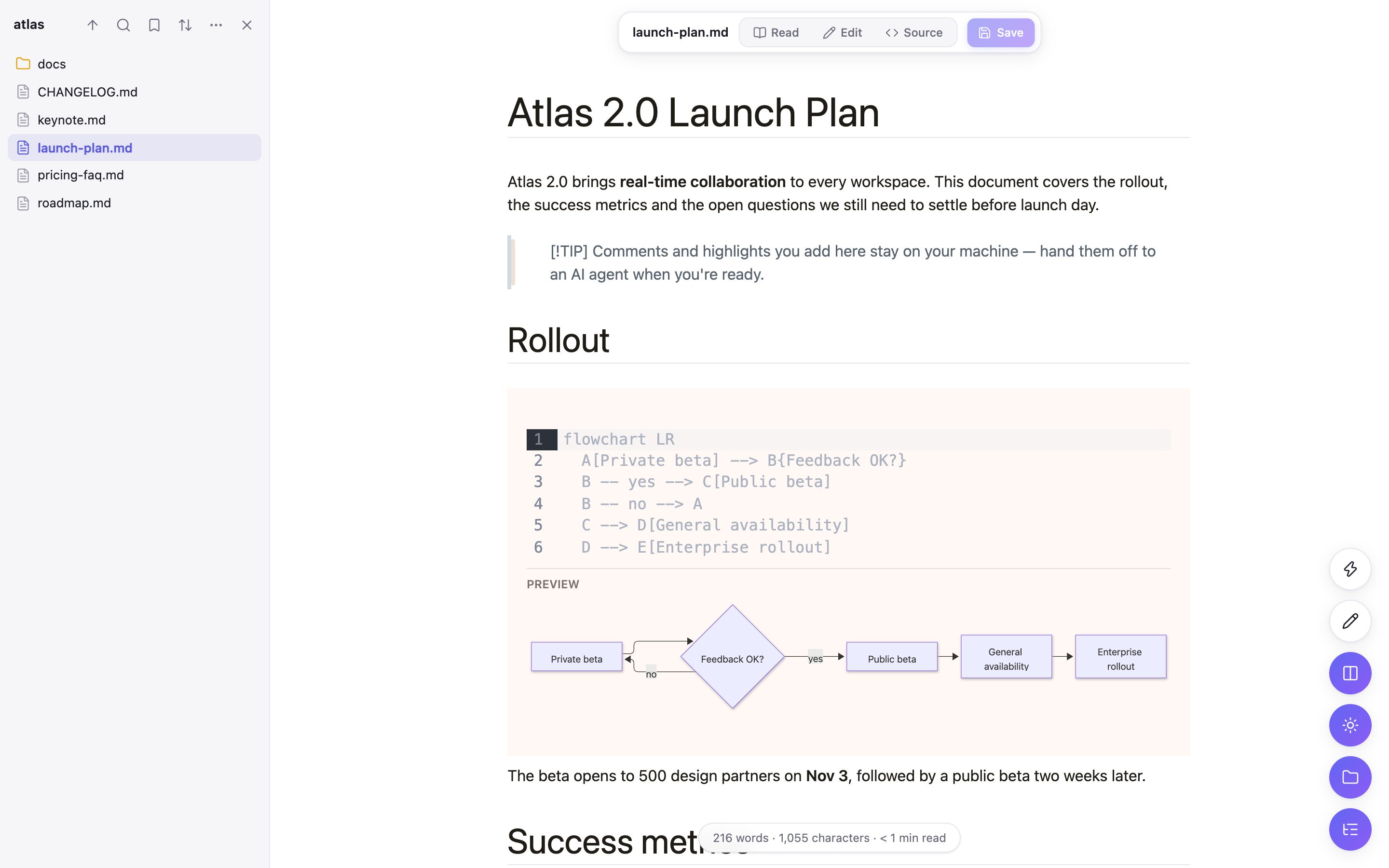
Switch between Read, a WYSIWYG editor and raw Source with one shortcut. Diagrams and formulas preview while you type, and ⌘S writes the file back to disk.

  • Live reload when the file changes — with a +/− diff you can accept
  • Folder browser with sorting, bookmarks and full-text search
  • Paste Markdown, drag & drop files, start new documents
WYSIWYG editing with a live Mermaid preview under the code block

## Present & export

From notes to slides and mind maps.

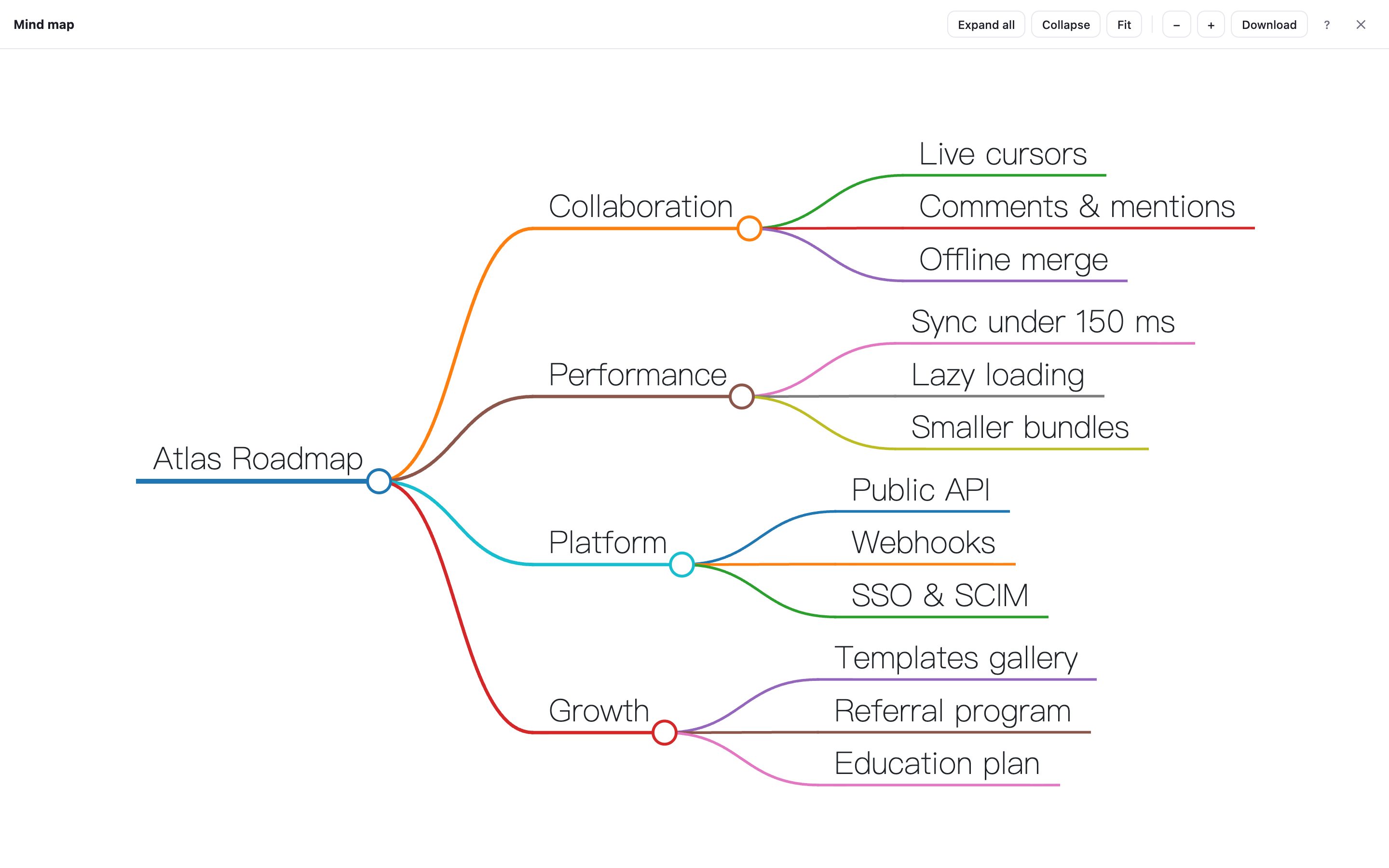
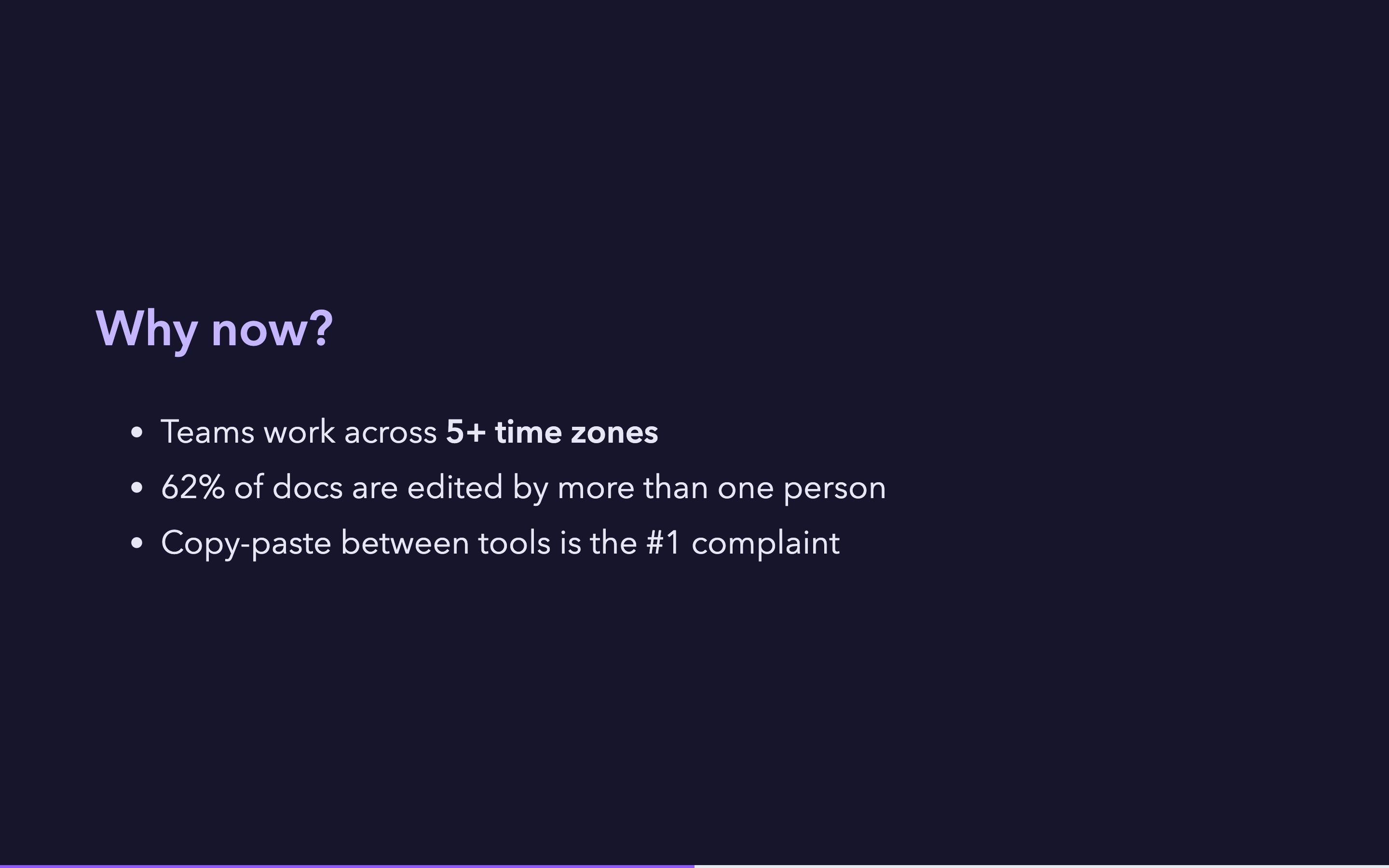
Split a document with --- and present it full screen, with your own fonts, colors and background. Or explore its structure as an interactive mind map. When it's time to share, export to Word, HTML or PDF.

  • Speaker notes, auto-play, keyboard and touch navigation
  • Mind maps download as SVG, PNG or JPEG
  • Exports keep your highlights and an optional table of contents
Interactive mind map generated from a document's headings
A slide in presentation mode with a dark custom theme

## Settings

Make it read the way you like.

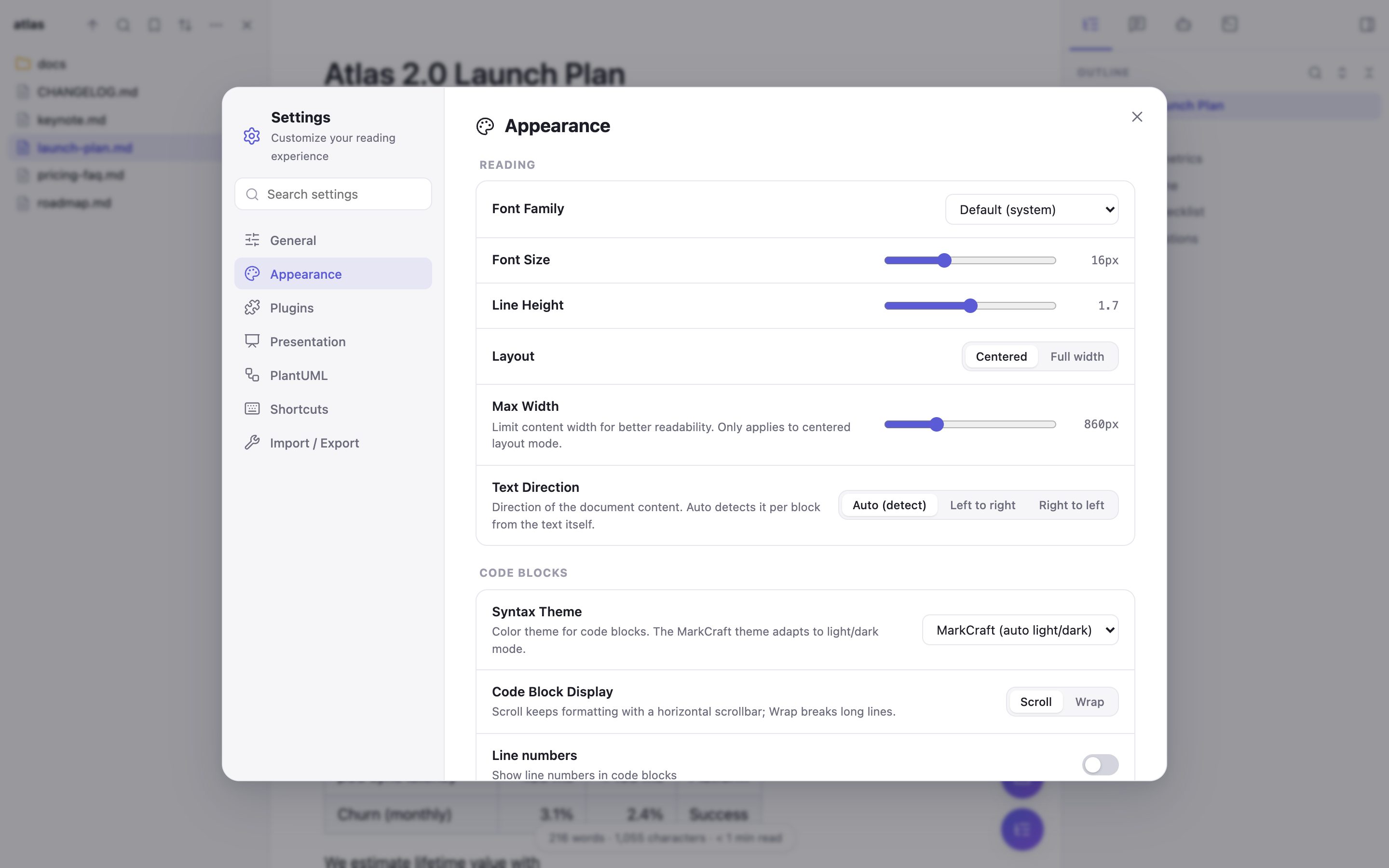
Light, dark and sepia themes, five font families, adjustable size, line height and width. Turn individual Markdown plugins on or off, and rebind every shortcut. The interface speaks English and 简体中文.

  • Quick Settings anywhere with ⌘,
  • Import and export your settings as JSON
  • Right-to-left text detected automatically
MarkCraft's settings panel on the Appearance tab

And all the small things.

Outline

Scroll-spy table of contents with search and collapse.

Find in page

Case, whole-word and regex matching that skips the UI.

Live reload

Watches the file and shows what changed before applying it.

Word, HTML, PDF

Export with diagrams, math and annotations intact.

Shortcuts

21 actions, all rebindable, with a cheat sheet on ?.

Folders

Browse, group by type or date, bookmark and search folders.

Web Markdown

Raw files on GitHub and elsewhere open rendered, too.

Native helper

Optional: direct saves, a built-in terminal and agents.

Private by design.

No accounts, no analytics, no telemetry. Your documents are rendered inside your browser and never uploaded anywhere. The one optional network feature — PlantUML — stays off until you explicitly allow it.

## Install

Up and running in a minute.

  1. 1

    Download

    Get the latest markcraft zip and unzip it.

  2. 2

    Load it

    Open , turn on Developer mode, click Load unpacked and pick the folder.

  3. 3

    Allow local files

    In MarkCraft's Details, enable Allow access to file URLs. Then open any .md file.

Prefer building from source?

git clone https://github.com/zhangweiii/markcraft.git
cd markcraft && npm install && npm run build   # → dist/

Free forever. Open source.

MarkCraft is MIT-licensed and built in the open. Issues, ideas and pull requests are welcome.